


Moving an existing mobile app from React Native or Flutter to native Android is a significant technical and business decision, and Google’s newly previewed Migration Agent adds an interesting factor to the equation.
But what does migration actually involve, when does moving to native Android make sense, and could AI make the process faster or more practical?
This article explores the differences between the development approaches involved, the factors teams should consider before migrating, and where Google's newly premiered Migration Agent would fit into the process.
Rather than assuming that native Android is automatically better, the goal is to help teams understand their options and make a more informed decision about whether migration, modernization, or staying with their existing framework is the right path.
Understanding the Technologies and Tools Involved
Before considering whether an existing app should move from one development approach to another, it helps to understand how the options fit together. React Native, Flutter, native Android development, and Kotlin can all play different roles in the development of a mobile application, while Google's new Migration Agent introduces another factor for teams considering a move.
Understanding the landscape makes it easier to assess what a migration would actually involve, and whether it is likely to deliver enough value to justify the investment.
React Native and Flutter have become established approaches to cross-platform mobile app development, allowing teams to build applications for multiple platforms while sharing a significant portion of their codebase. Native Android development takes a different approach, focusing specifically on the Android platform and providing direct access to its APIs, device capabilities, and development tools.
Kotlin is now widely used for native Android development, giving developers a modern language for building applications directly within the Android ecosystem. This approach can provide greater control over platform-specific functionality and how an application interacts with Android devices. Kotlin Multiplatform offers another option for teams that want to share select parts of an application, such as business logic, while still developing platform-specific components and user experiences natively.
The landscape has also recently gained another point of interest. Google previewed its upcoming Migration Agent, an AI-powered developer tool designed to assist with moving existing application code towards native Android and Kotlin. By automating parts of the migration process, the agent could change the time and resources required for some migrations.
Whether that makes migration a better choice, however, depends on the application itself, its requirements, and what the team hopes to achieve by moving to native Android.
Why Are Teams Considering Native Android in the First Place?
Choosing native Android is not automatically an upgrade from React Native or Flutter. For some teams, however, changes in their product, roadmap, or technical requirements can make the original cross-platform decision worth reconsidering.
Your App Has Become Increasingly Android-Specific
Cross-platform development is most valuable when a significant portion of the application can be shared between platforms.
If Android has become the primary platform, or the roadmap increasingly revolves around Android-specific functionality, that advantage may become less important.
A native Android codebase can give the development team greater control over how the application interacts with the operating system and Android ecosystem.
Framework Limitations Are Affecting Product Decisions
A cross-platform framework can support a wide range of functionality, but teams may eventually encounter specific requirements that are more difficult or time-consuming to implement within the framework they have chosen. This could mean relying on workarounds, adding custom native code, or accepting compromises in how a particular feature works.
The important question is not whether React Native or Flutter can support the feature at all, but how much effort is required to achieve the result the product needs.
If developers have to work around the framework repeatedly to deliver or optimize important functionality, the original benefits of cross-platform development may start to diminish. At that point, native Android development may be worth considering as a way to give the team more direct control over the areas creating the most friction.
Native Platform Capabilities Matter More Than Cross-Platform Efficiency
Some applications depend heavily on Android APIs, device hardware, background processes, performance-sensitive functionality, or platform-specific user experiences. When these capabilities become central to the product rather than occasional requirements, working directly with Android can provide more control.
The Application Has Outgrown its Original Architecture
Technical debt can accumulate regardless of the framework used. An application may develop outdated dependencies, tightly coupled components, or architectural decisions that no longer support its current scale, making the codebase increasingly difficult to maintain or extend.
However, architectural problems do not automatically mean the framework is the problem. A React Native or Flutter application may benefit from restructuring, updating dependencies, or modernizing its architecture while remaining on the same framework. In other cases, the assessment may reveal that the existing approach is creating limitations that justify a move to native Android.
The important step is to identify what is actually causing the problem before deciding how it should be addressed.
React Native and Flutter Aren’t Suddenly Obsolete
Google’s migration tooling does not mean React Native or Flutter has suddenly become the wrong choice. Questions such as “Is React Native still relevant?” or “Is React Native dead?” reflect understandable uncertainty, but a framework’s popularity should not determine an architecture decision.
What matters is whether the technology continues to meet your application’s technical and business requirements.
- Stay cross-platform when shared development efficiency remains a major advantage and your existing framework is handling the product’s requirements effectively.
- Consider native Android when Android-specific capabilities, performance requirements, maintainability, or deeper platform integration provide a clear reason to move away from a cross-platform approach.
The same applies to the question of Kotlin vs Flutter. Neither is universally better. Flutter can remain an effective choice for applications that benefit from a shared codebase and consistent experience, while native Kotlin can provide greater control over Android.
The point is not that one technology has won. It is that your application’s requirements may have changed enough to make another approach worth evaluating.
If You Decide to Migrate, AI Is Only Part of the Process
Once a team has established that moving to native Android makes sense, Google’s Migration Agent could make the mechanical side of that transition considerably faster.
It may be tempting to view that as an opportunity to hand the existing codebase to AI and let it handle the conversion. However, migrating an application involves far more than translating code from one environment to another.
Before treating an AI-assisted migration as a simple technical shortcut, teams should consider what still requires engineering judgment.
- Architecture: An AI agent can translate existing implementation patterns into Kotlin, but it cannot automatically determine whether those patterns still make sense. An older application may benefit from a different architecture rather than having its existing structure reproduced in native code.
- Dependencies and third-party libraries: Cross-platform applications often rely on libraries for authentication, analytics, payments, navigation, or other functionality. Some may have suitable Android alternatives, while others may need to be replaced or integrated differently. Each dependency needs to be assessed rather than assumed to have a direct equivalent.
- Custom native modules: Existing integrations that bridge the cross-platform layer with native functionality can require bespoke treatment during migration. Their purpose and implementation need to be understood before deciding how they should work in the new codebase.
- Behavioral differences: Code that compiles successfully can still produce an application that behaves differently from its predecessor. State handling, navigation, error conditions, permissions, and device-specific behavior can all expose differences that aren't obvious from the converted source code.
- User experience: A successful migration should preserve more than functionality. Interactions, animations, accessibility, navigation patterns, and Android conventions all contribute to how an application feels to use. Simply reproducing the existing implementation may miss opportunities to create a more natural native experience.
- Technical debt: Migration provides an opportunity to remove unnecessary complexity, outdated dependencies, and fragile implementation patterns. Replicating every existing problem in Kotlin simply creates the same technical debt in a new language. AI can accelerate migration, but without experienced review, it can also accelerate the creation of a new codebase that is harder to maintain.
What a Real AI-Assisted Migration Looks Like
An AI-assisted migration should not mean handing an existing codebase to an agent and waiting for a native app to emerge. The technology is most useful when it is integrated into a structured migration process, with engineers making the decisions that determine what the new application should become.
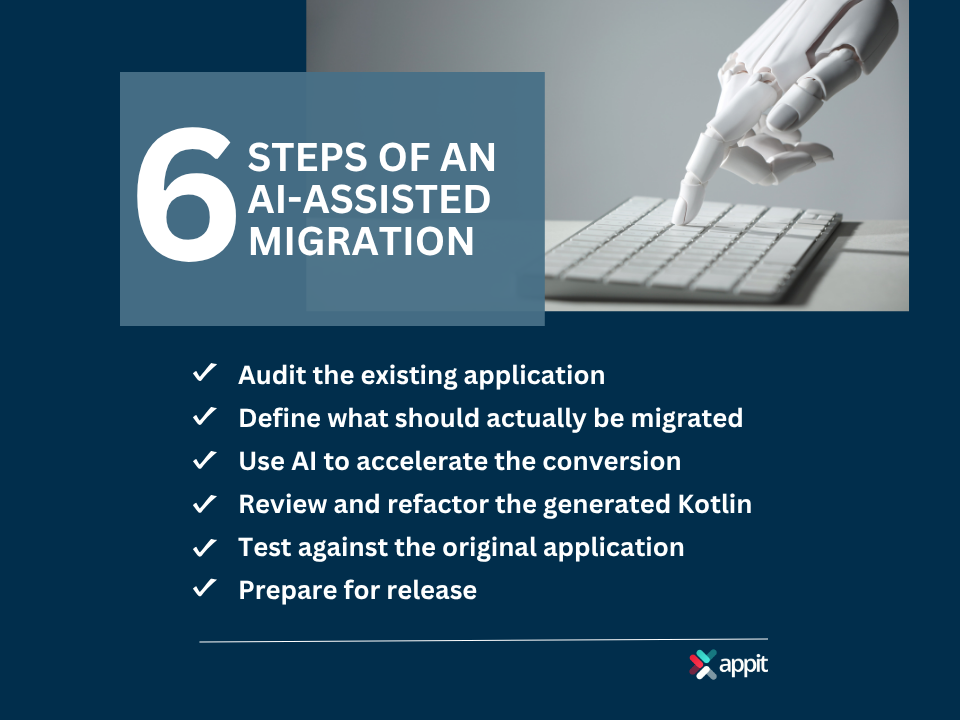
1. Audit the Existing Application
Before converting anything, the team needs to understand what it is working with. This means reviewing the application’s architecture, dependencies, integrations, custom native modules, performance issues, technical debt, and business-critical functionality.
The goal is to identify potential migration risks early and establish which parts of the application require particular attention.
2. Define What Should Actually be Migrated
A migration is an opportunity to improve an application, not simply reproduce it in another language.
The team should determine which functionality should be retained as is, which areas would benefit from redesign, which dependencies need replacing, and which technical debt should be eliminated rather than carried into the new codebase.
3. Use AI to Accelerate the Conversion
Once the migration strategy is established, Google’s Migration Agent can handle much of the repetitive conversion work. This is where AI can provide its greatest efficiency gains, translating suitable portions of the existing application toward native Kotlin while developers focus on decisions that require knowledge of the product, architecture, and Android platform.
4. Review and Refactor the Generated Kotlin
Generated code is a starting point, not the finished product. Experienced Android developers need to examine the resulting Kotlin, identify unnecessary or inefficient patterns, and refactor the code where appropriate.
The objective is a coherent, maintainable native codebase rather than a collection of mechanically converted components that happen to compile.
5. Test Against the Original Application
The migrated application should then be evaluated against the existing version. Testing should cover core functionality, edge cases, user flows, device behavior, and performance, helping identify differences introduced during migration.
This comparison is particularly important because an application can appear functional while still behaving differently in less common scenarios.
6. Prepare for Release
The final stage involves turning the migrated application into a production release. This includes Android signing and release configuration, Google Play requirements, analytics, crash reporting, monitoring, and rollout planning.
A staged release can also provide an opportunity to monitor the new application before moving the entire user base across.
With this approach, AI becomes one part of a broader engineering process, rather than a substitute for it.
When Migration Is Actually Worth the Investment
A native Android migration is most compelling when the expected benefits outweigh the cost and disruption of changing the underlying technology.
It may be worth considering that when Android represents a strategically important user base, the product increasingly depends on Android-specific functionality, or cross-platform abstractions are creating measurable development friction.
Stronger performance requirements, significant technical debt, and the need for greater control over the platform can also strengthen the case, particularly when the application is expected to remain in active development for years, and the team can support a native Kotlin codebase in the long term.
However, the calculation can point in the opposite direction. Migration may not be worthwhile when the existing app performs well, where most functionality is genuinely shared between platforms, or the roadmap does not require deeper Android integration.
The resources required for migration may also deliver greater value when invested in new product features or other improvements.
Most importantly, fear that React Native or Flutter is becoming obsolete is not, by itself, a sound reason to rewrite a working application. The business case should come first.
Migration Doesn’t Have to Mean Starting Over
Moving from React Native or Flutter to native Android does not have to mean replacing the entire application in one step. For many teams, a more practical approach to legacy app migration is to modernize selectively, first addressing the areas that create the greatest technical or product constraints.
Possible strategies include:
- Incremental migration: Move individual features or sections to native Android while the rest of the application remains in its existing framework.
- Native modules: Introduce native Android components where deeper platform access is needed without replacing the entire cross-platform layer.
- Targeted replacement: Rebuild problematic or performance-sensitive components rather than rewriting functionality that already works well.
- Architecture modernization: Improve the application’s underlying structure before deciding whether a broader migration is necessary.
- Kotlin Multiplatform: Where shared business logic remains valuable, using Kotlin Multiplatform can provide another route while allowing native experiences on each platform.
In many cases, a partial migration can deliver meaningful improvements without taking on the cost and risk of an all-or-nothing rewrite.
So, Should You Migrate Your React Native or Flutter App?
There is no universal answer to whether an existing React Native or Flutter app should become native Android. The right choice depends on what the application needs now, where it is heading, and whether migration would deliver enough value to justify the investment.
When to Stay with React Native or Flutter
When your existing framework is meeting the application’s performance, functionality, and development requirements without creating significant technical or product constraints. If the cross-platform approach continues to support the roadmap effectively, there may be little reason to change it.
When to Investigate Modernization
When the application has accumulated technical debt, outdated dependencies, or architectural problems, but those issues can be addressed without changing the underlying framework. Modernizing the existing codebase may provide the improvements you need at less cost and disruption.
When to Consider Native Android
Android-specific functionality, performance requirements, deeper platform integration, or long-term maintainability provide a clear business and technical case for moving to Kotlin.
When to Consider an AI-Assisted Migration
If you have already established that native Android is the right destination. Google's Migration Agent can then reduce the mechanical effort involved, allowing experienced developers to focus on architecture, code quality, and creating a maintainable native application.
Work With a Team That Understands the Code After the AI Does Its Job
The question isn't whether AI can migrate your app. It’s whether your application will be better after the migration. Google’s Migration Agent can reduce the mechanical work involved in moving toward native Android, but getting lasting value from that process still requires experienced engineering.
As a custom mobile app development company, AppIt can assess your existing React Native or Flutter application and determine whether migration is genuinely warranted, whether modernization would be a better investment, or whether your current approach should remain in place.
Where native migration makes sense, our team can incorporate AI-assisted conversion into a broader process that includes architectural review, code refactoring, testing, optimization, and deployment.
As a mobile app development agency, we focus on the application beyond the migration itself, ensuring the resulting codebase is maintainable and aligned with your product's long-term requirements.
If you’re questioning whether your current architecture is still the right fit, talk to us at AppIt about your options and make the decision based on your application's needs, not the latest technology trend.